Field Ops for Odoo
Connect everything between the field and the office
One mobile app for your crews: today's jobs, GPS-verified hours and digital safety forms. Everything flows straight into your Odoo database, even from job sites with no signal.
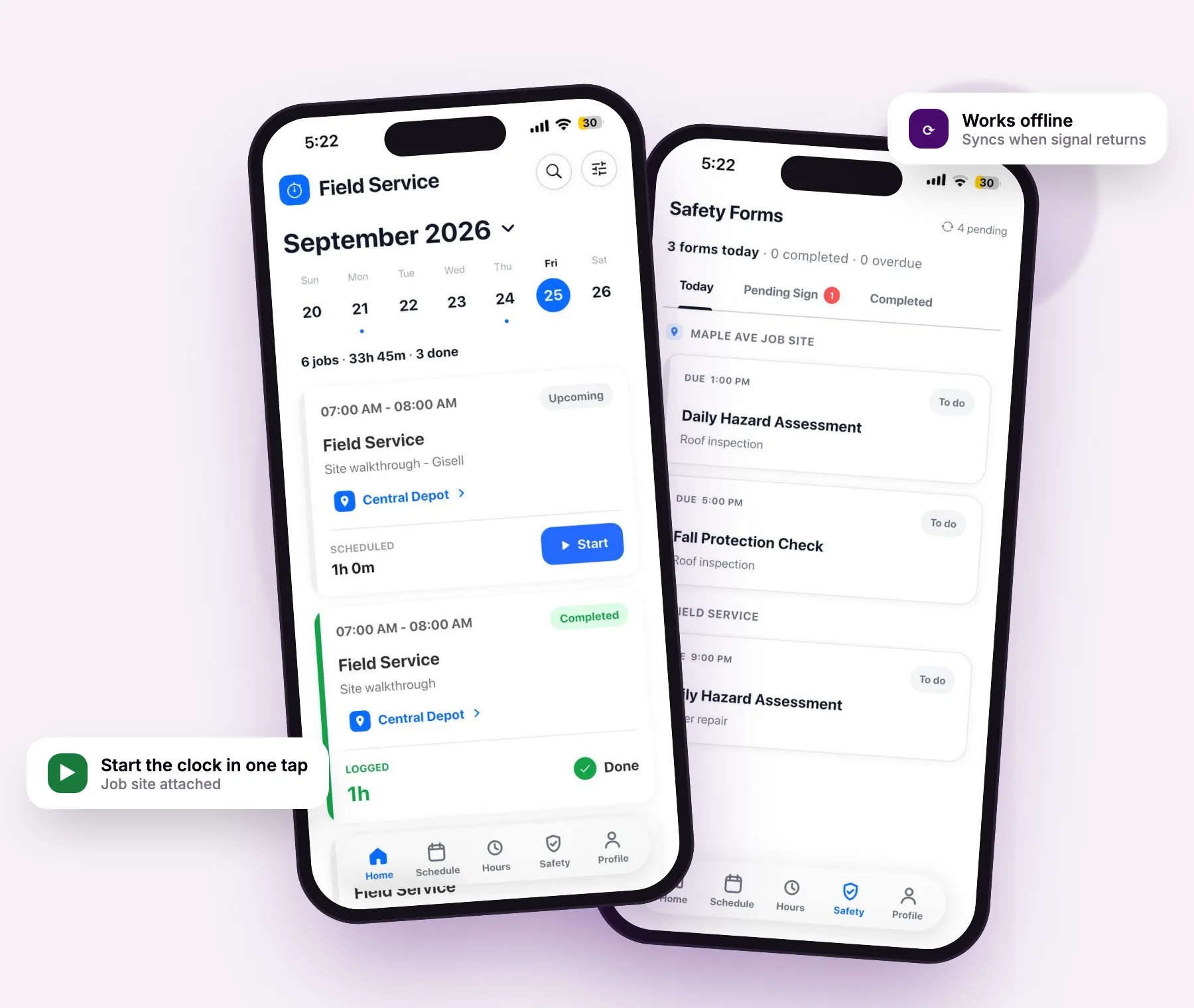
Field ops & forms, one platform
From job site to Odoo, without the paperwork
Your crew works in the app. Your office works in Odoo. Both see the same jobs, hours and forms, with no spreadsheets, paper forms or second system to reconcile.
Jobs & Schedule
In the field
Today's jobs, directions, shift notes, photos and comments, all in one place.
In the office
Publish shifts and assign jobs from Odoo. Crews get a push alert right away.
GPS-verified Time
In the field
Clock in on site with a geofence stamp, then switch jobs without stopping the clock.
In the office
Timesheet lines land in Odoo automatically, split into regular hours and overtime.
Safety FormsOdoo 18
In the field
Fill inspections with photos and signatures, even with no signal.
In the office
Supervisors review and sign. Completed forms are locked and kept in Odoo.
Review & Approvals
In the field
Request timesheet edits, time off and tool transfers from the phone.
In the office
Approve everything in Odoo, with lockdown dates that keep payroll periods closed.
Your field crew doesn't need Odoo user licenses
Technicians sign in with a one-time passcode linked to their Employee record in Odoo, not an Odoo user account. Add every technician to the app without paying for an extra Odoo user license for each person in the field.
Two workspaces today. An AI agent next.
Field Ops is the core every crew needs: jobs, schedule, GPS-verified time and checklists. Add Health & Safety Forms to unlock a dedicated Safety workspace in the same app, with no second login, device or deployment. Coming soon: an AI agent that does the office-side review for you.
Free setup package $500
Get started at no cost: migration support, payroll Excel exports, and a dedicated WhatsApp group for troubleshooting and training.
Field Ops
From $5 per technician / month
Run the day's jobs, clock in and out on site, and send hours to the office that survive an audit.
- Real-time clock in and out with GPS job-site stamps
- Unlimited jobs, customers and job sites
- Home calendar, upcoming jobs and shift notes
- Timesheets with overtime, lockdown and edit requests
- Job comments, photos, attachments and @mentions
- End-of-day job checklists
- Time off, tool checkout and on-call rotations
- Offline capture with automatic background sync
Health & Safety Forms
A dedicated safety workspace for assigned forms, inspections and supervisor sign-off.
- Everything in Field Ops, plus:
- Dedicated Safety tab, grouped by job site
- Assigned forms with due time and status
- Pass/Fail/N/A worksheets with photos and signatures
- Required fields enforced before completion
- Supervisor review-and-sign queue
- Completed forms locked read-only
- Offline fill with prefetch and auto-sync
AI Agent
Your crew captures the day. The AI agent reviews it, so supervisors spend minutes on approvals, not hours.
- Timesheet verification. Flags missing punches, unusual overtime, off-site clock-ins and hours that don't match the schedule, before you approve.
- Daily field summaries. A plain-language recap of each crew's day: jobs completed, hours logged, comments and photos, by job site.
- Safety form review. Surfaces failed items, missing photos and forms still waiting for sign-off.
- Project management help. Spots jobs at risk of running over, open callbacks and work that needs attention.
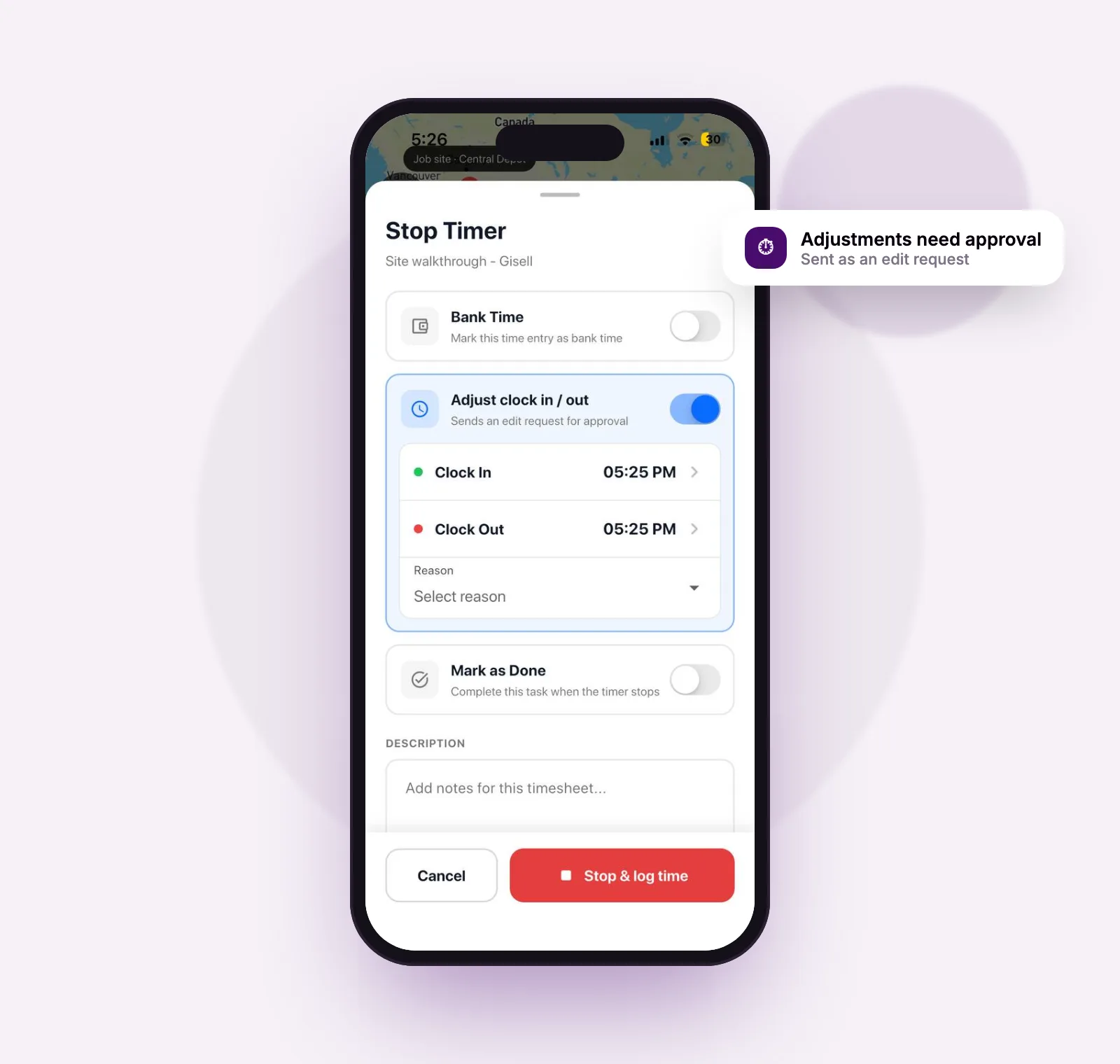
Time clock
Hours your office can trust
Start a timer on a job, stop it, and a timesheet line is logged in Odoo automatically. Add notes, flag bank time or request a clock-in/out adjustment right as you stop.
- Live timer everywhere. Elapsed time on screen plus a banner across the whole app.
- Switch without stopping. Move to another job, activity or phase, and add photos or comments on the clock.
- Tamper-resistant. Monotonic device clock plus server-side evidence on every clock-in and clock-out.
- Never lose a shift. Timers survive restarts, runaway timers stop at 20 hours, and midnight shifts split cleanly.
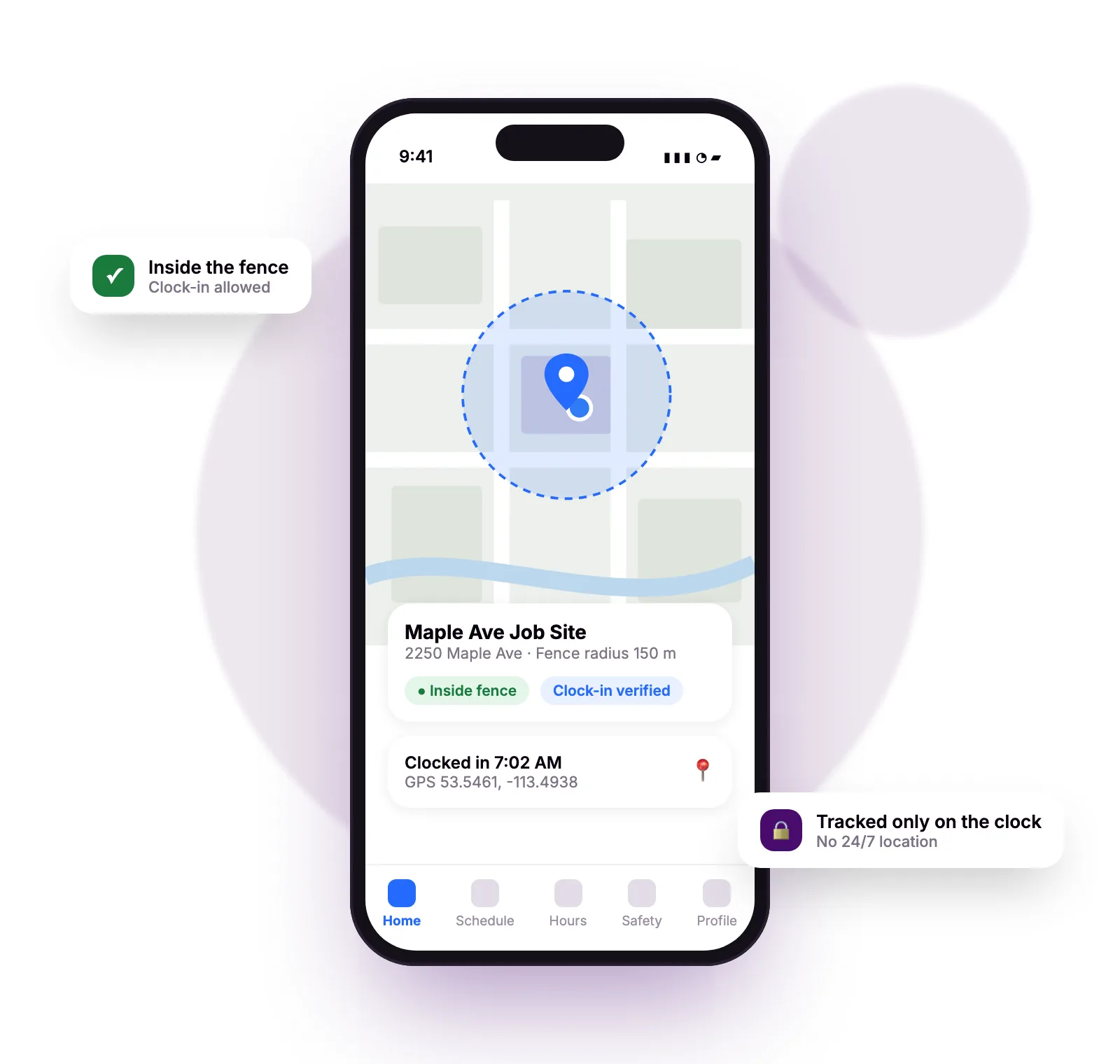
GPS & geofence
Know the work happened on site
Start and end coordinates are stored on every timesheet line, with a configurable fence around each job site.
- Job-site geofence. See the fence radius, address and whether the technician is inside it.
- Your rules. Hard-block clock-ins outside the fence, or allow them and flag the entry for office review.
- Arrive and leave prompts. Reminders on arrival and departure, with automatic clock-out after repeated warnings.
Privacy by design
There is no continuous or 24/7 location tracking. Position streams only while a timer is running, and technicians can restrict GPS to clock-in and clock-out events only.
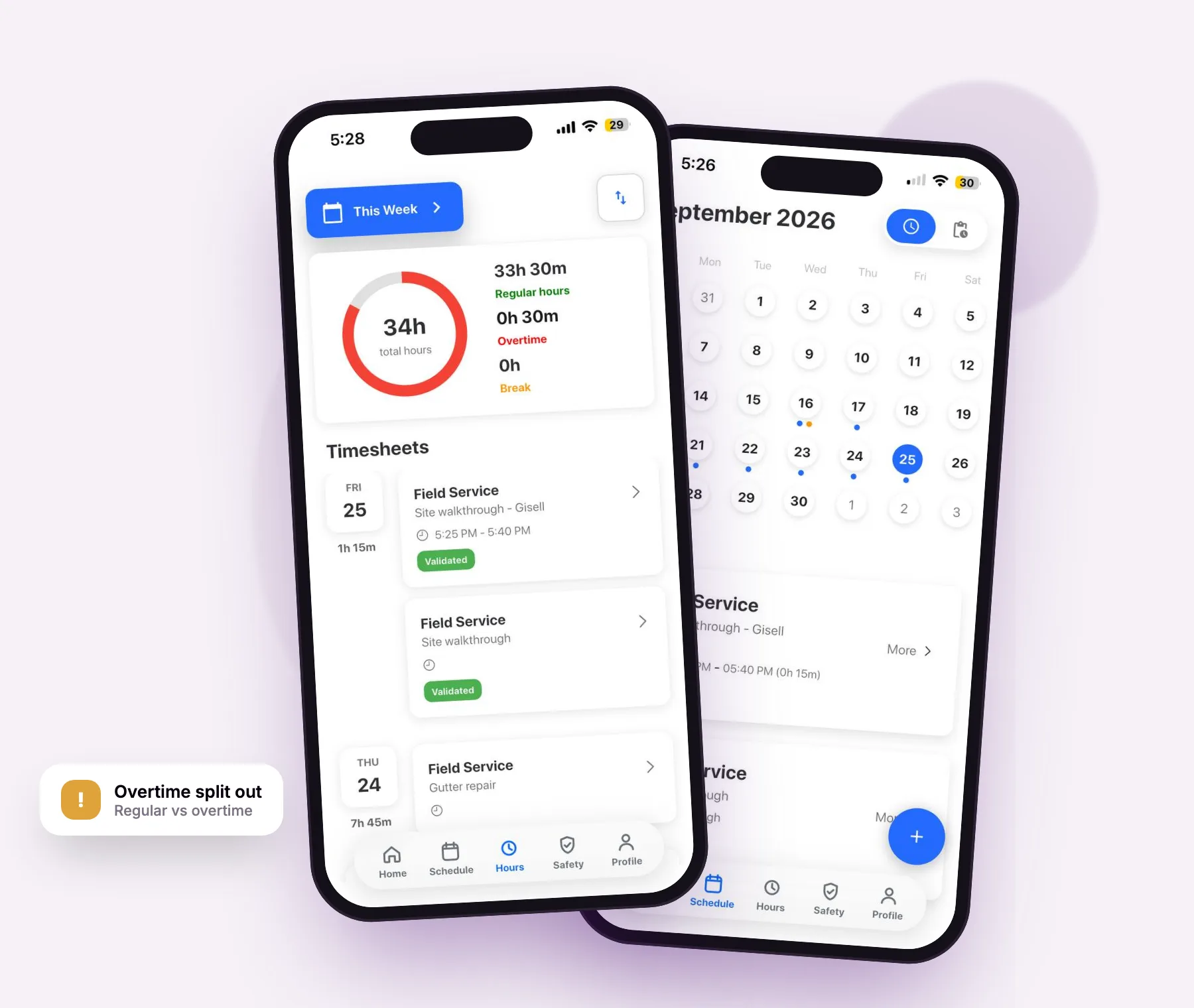
Timesheets & governance
Clean timesheets, without the chasing
Hours by day, split between regular and overtime, with controls that keep payroll periods closed.
- Lockdown dates and edit windows. Block changes before a cut-off or older than a set number of days.
- Edit requests, not silent edits. Approved lines change only through a request with a reason.
- Missing-timesheet reminders. A push nudge to complete yesterday's hours.
- Guardrails built in. Optional daily rounding and a 24-hour daily limit check.
Health & Safety Forms add-on
Safety forms crews actually complete
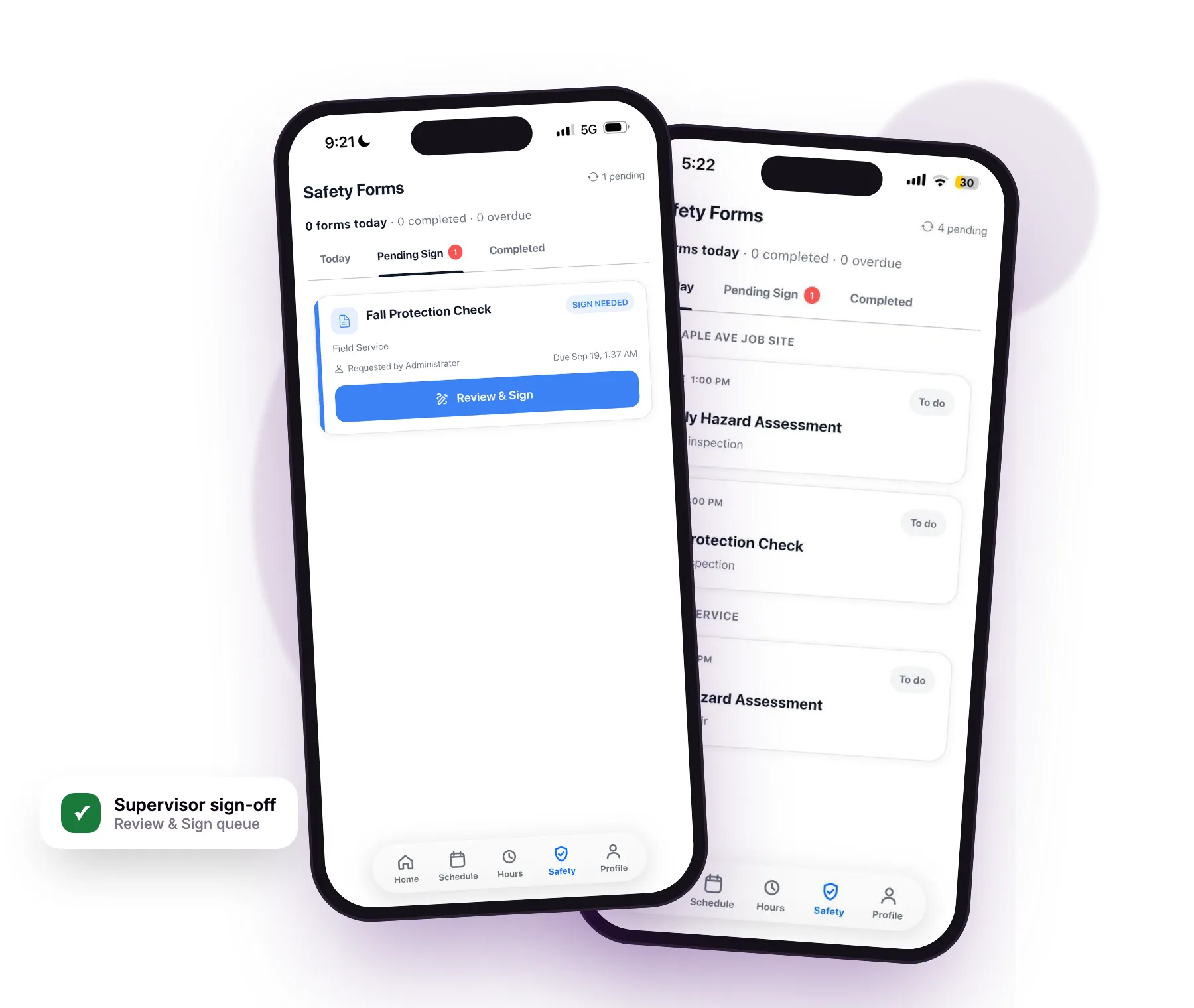
Assigned forms appear in their own Safety tab, grouped by job site, with due times and status at a glance.
- Native digital worksheets. Pass/Fail/N/A, dropdowns, dates, photos and in-form signatures, structured from your Odoo configuration with no app release needed.
- No gaps. Completion is blocked until every required field is filled, and the app jumps straight to what's missing.
- Supervisor sign-off. A review-and-sign queue with full signature history.
- Locked when done. Completed forms become read-only and can't be quietly amended.
Independent of the timer: complete a form without being clocked in, and finishing one never stops the clock.
Offline-first
No signal? No problem.
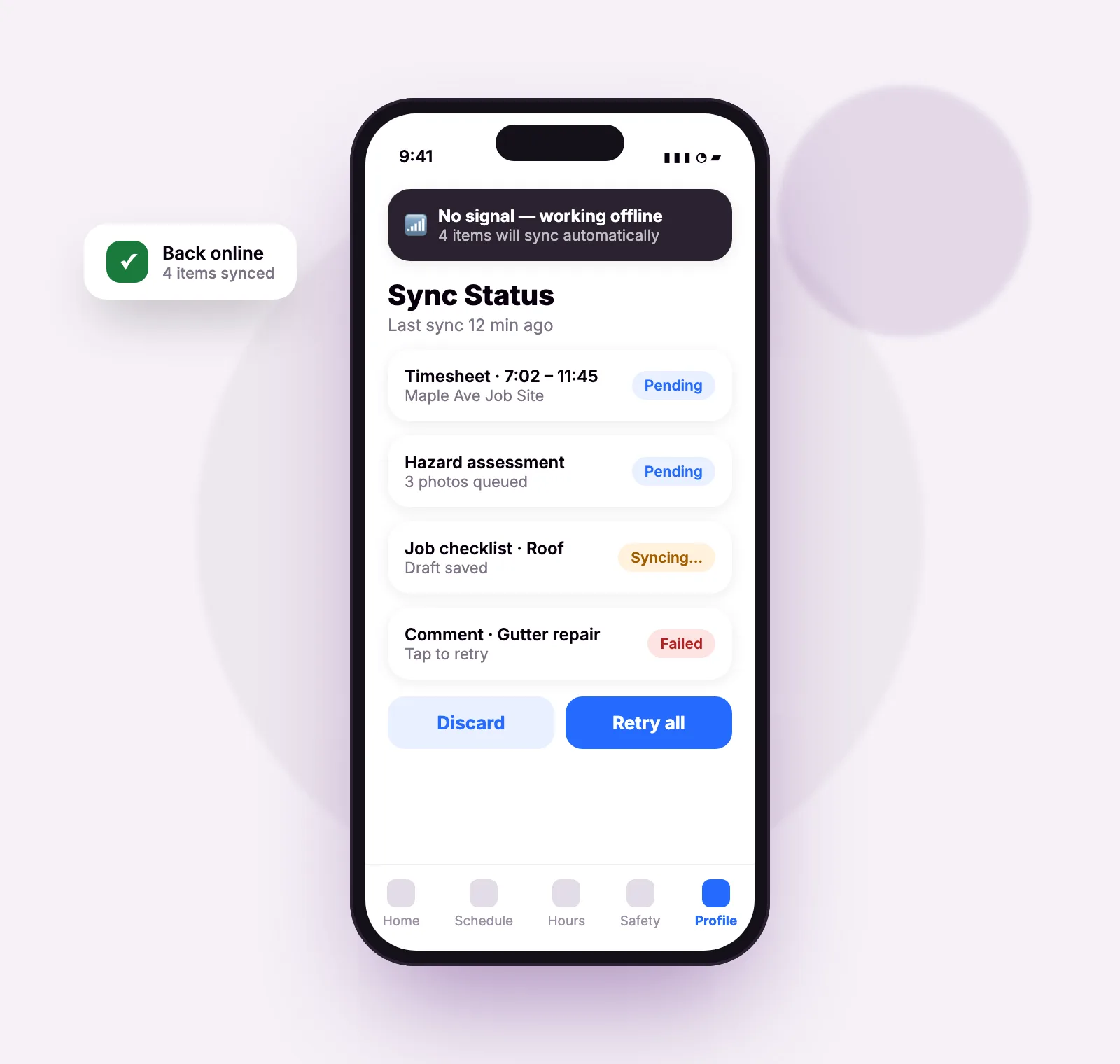
Basements, rural sites and dead zones don't stop the day. Time capture, checklists and safety forms all work fully offline.
- Prefetched at startup. Assigned forms and their structure are cached, so lists work with no signal.
- Photos replay automatically. Images captured offline upload once connectivity returns.
- Sync Status screen. See pending, syncing and failed records, then retry or discard.
Everything the field day needs
Delivered across the Home, Schedule, Hours and Profile tabs of one app.
Scheduling
Month calendar, day job cards, a 7-day upcoming list with one-tap directions, shift colors, notes and push alerts.
Jobs & communication
Job details, comments with @mentions, photos, subtasks and callbacks, plus new jobs and customers raised from the field.
End-of-day checklists
Native worksheets or Form.io, required before the timer stops, per job or per day, with offline drafts.
Time off
Request daily or hourly leave, respect lockdown dates, and get notified the moment a request is decided.
Tools & equipment
Check tools out and back with photo evidence, move them in bulk, and transfer them between technicians.
On-call rotations
See upcoming on-call periods, then transfer, swap or offer them, with overlaps blocked automatically.
What to expect
Clear requirements and honest scope, so there are no surprises at rollout.
Requirements
- Backend: Odoo 17 or 18. Health & Safety Forms requires Odoo 18.
- Devices: iOS and Android smartphones, one employee session per device.
- Sign-in: Email or phone one-time passcode, bound to the employee record in Odoo.
- Connectivity: Full offline operation for time capture, checklists and safety form fill.
Not in the current release
- Shared kiosk or NFC clock-in (one employee per device)
- Payroll connectors (hours and overtime are exported server-side)
- Building shifts on mobile (shifts are published from the back office)
- Consuming materials on mobile (shown for reference only)
- SSO, 2FA or biometric lock (one-time passcode sign-in only)
Frequently asked questions
See Field Ops running on your Odoo
Tell us about your crews, job sites and back office, and we'll show you how the field and the office connect in a demo tailored to your team.
Book a demo